Build your own airport from the ground up! Construct terminals, runways, and refueling stations, manage baggage handling and catering, research new technologies, and expand your grounds. Become the most successful airport manager – tile by
출시일2026. 02. 26
개발hans-juergen mueller
플랫폼PC
게임 소개
이 게임에 대해
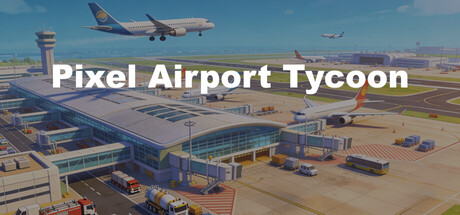
Pixel Airport Tycoon is an airport construction and management simulation game in which you design, build, and run your own airport.
Build your infrastructure
Construct terminals, runways, taxiways, and aprons. Place fuel stations, baggage handling facilities, and catering depots to ensure smooth airport operations.
Manage your operations
Fuel trucks refuel aircraft, baggage carts deliver luggage, and catering vehicles supply passengers. All vehicles navigate intelligently across your road network.
Research and expand
Unlock new buildings and technologies, construct larger runways for wide-body aircraft, and expand your airport grounds with additional zones.
Economy and finance
Earn money through aircraft handling, parking garages, and hotels. Take out bank loans to grow faster. Keep track of income and expenses with detailed statistics.
Safety first
Secure your premises with fences and make sure your airport meets safety standards before the first aircraft are allowed to land.
Features:
Airport Construction
25+ Building Types — Terminals, runways, taxiways, fuel stations, hotels, parking garages, fire stations, security buildings, and more.
3 Runway Sizes — Small, medium, and large runways for different aircraft classes.
4 Terminal Levels — From a simple terminal to a large-scale terminal with interior customization.
Terminal Interior Design — Place check-in counters, gates, security checkpoints, shops, restaurants, and restrooms inside your terminals.
Free Placement — Build on a large grid with rotation and expansion areas.
Land Purchase — Expand your airport by buying additional land.
Two Airport Types
Commercial Airport — Terminals, passengers, cargo traffic, and full infrastructure.
Private Propeller Airfield — Small runways, private parking positions, and propeller aircraft — a compact entry option without requiring terminals.
Flight Operations
3 Aircraft Classes — Small, medium, and large passenger aircraft with different requirements.
Cargo Aircraft — Dedica
Added: The de-icing service now has a button to reset all assigned parking positions. Fixed: Cargo aircraft could not find a path to the maintenance hangar. When assigning parking positions to the customs building, the information window was blocking the view.
Changed: The departure queue logic has been improved and optimized for faster processing. Fixed: The "Missing taxiway lighting" notification is no longer displayed.
Added: A new button has been added to the Options menu that opens the save game folder directly. Changed: The "Missing taxiway lighting" log message is no longer displayed.
Changed: Aircraft assigned to a parking position that is linked to a specific runway will no longer use a different runway as a fallback if their assigned runway is occupied. The automatic fuel refill settings now allow more digits to be entered for the fuel quantity (in liters).
Fixed: The wrong airline names were displayed for reputation in the cargo aircraft information window. The cargo terminal could be built without first purchasing a cargo license. Aircraft were queueing up in front of the maintenance hangar. Cargo aircraft were queueing up at cargo parking positions.
Added: Some buildings were still missing tooltips. These have now been added. Terminal 1 and Terminal 2 now include a road connection when placed. Fixed: Aircraft were still landing and all lights remained on even when there was insufficient power. Passenger aircraft that had completed handling were no longer leaving their parking positions. Cargo aircraft were not being handled. Research projects could become stuck. Aircraft taxiing to the runway incorrectly displayed the status "Taxiing to Gate."
Added: The Runway window now includes a button to reset all assigned parking positions with a single click. Fixed: The checklist detection for private aircraft was incorrect. Private aircraft were landing even though no fence had been built yet. The number of connected parking positions shown for runways was sometimes incorrect.
Added: Scrolling now also works with the arrow keys (previously only W, A, S, D). Fixed: With a higher interface scale, the first line of the log messages was no longer fully visible. With a higher interface scale, the Close button was no longer visible in some windows. The Airport Diagnostics incorrectly reported that a fuel storage facility was missing, even though one had been built. When the game was paused, aircraft were eventually removed due to missing refueling. Vehicles that had already been removed because of timeouts were still being refueled. Cargo parking positions could not be as
 PI
PI